


At some point, as a funky little exercise (a Code Kata if you will), I wrote a small utility that automates reading object properties from the keyboard, provided the object has a predictable structure: simple enough, fairly strict, and reasonably standardized (primitively typed properties or collections thereof).

By “automation” I mean this: instead of hand-writing code that reads each property value, I wanted to be able to say: “Please read an object of type T, and hand me a newly created instance, will you, Jeeves?”
More recently, what used to be a passing distraction turned out to be genuinely useful: I needed a manual testing harness for a system that receives well-defined, simple contracts.
Part of the routine was feeding values by hand and observing the system’s behavior immediately (basically a service that feeds real time data needs to be restarted in a so-called test mode and see how it reacts with well known payloads).
That was a good excuse to dust off the old class, take it to the gym, and integrate it properly. After shedding a few skins (and some rough edges), it became a small library with a couple of supporting classes. The end result looks roughly like this:
PocoCommandLineReader reader = new PocoCommandLineReader();
CustomerSummary obj = reader.Read("Read customer summary");
Compared to the original version, I added two things:
the ability to read collections of values, not just scalars;
colored prompts, using a small console formatting helper (ever so slightly modified and renamed).
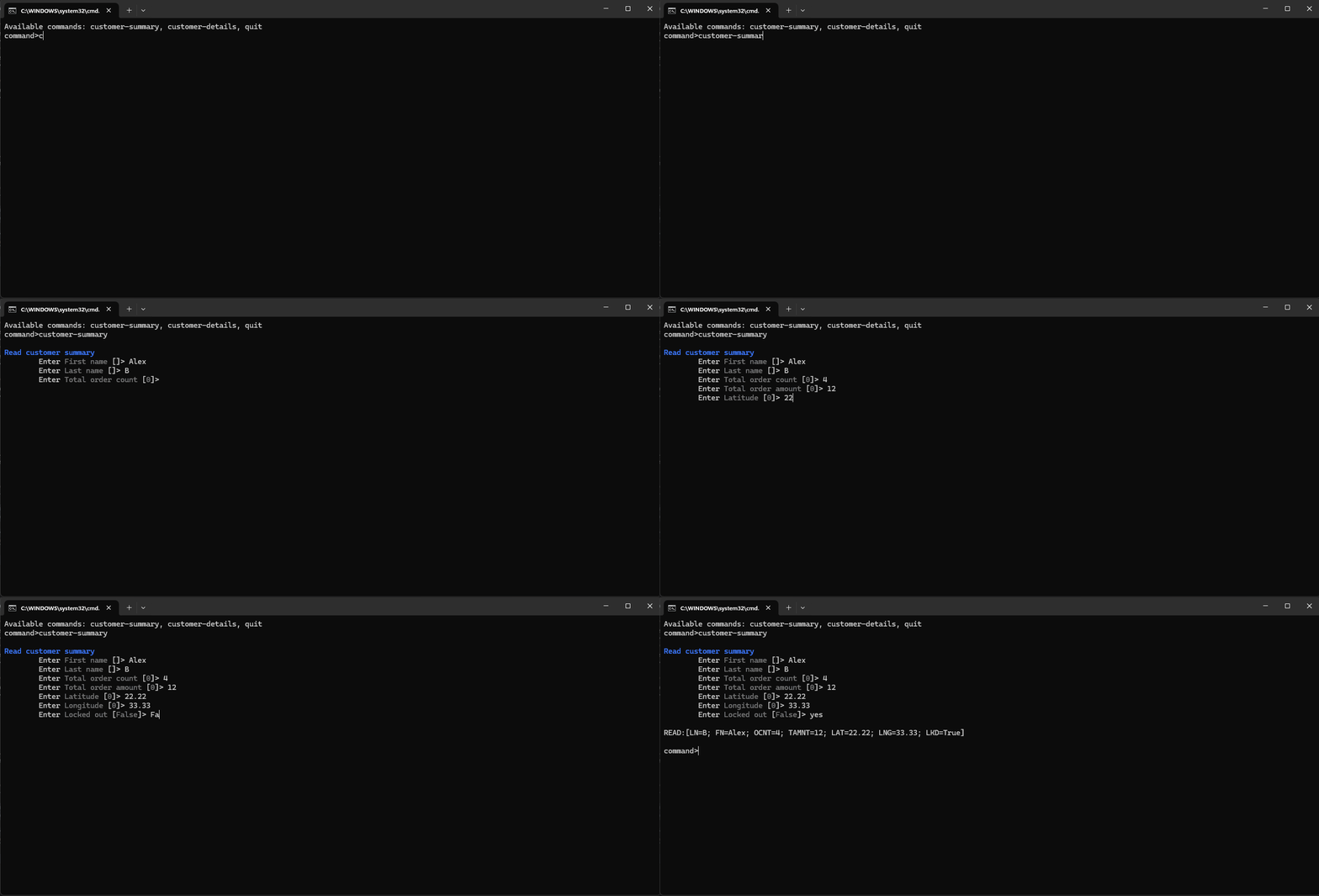
The rules for eligible types are discouragingly simple:
the target must be a non-abstract class (not a struct/value type) and must have a public parameter-less constructor;
the reader scans public instance properties that are both readable and writable (non-static), following the inheritance chain (this behavior is not configurable);
supported scalar types:
int,uint,short,ushort,long,ulong,string,bool,float,double,decimal,char,byte,sbyte,Guid;supported collection types (elements must be one of the scalar types above): arrays (e.g.
int[]) and lists (e.g.IList<int>orList<decimal>);any property whose type cannot be handled is simply ignored;
default values for scalar properties are whatever the object constructor produces (i.e. the CLR defaults unless you initialize differently);
for collections, the user is asked for the number of elements upfront;
optionally, you can decorate properties with
System.ComponentModel.DescriptionAttributeto customize the prompt message;if the user input cannot be converted to the target type, the reader does not throw—it falls back to the default value for that type.
Most conversions are straightforward (int.TryParse(), etc.), with a couple of notable exceptions:
for
bool, the reader also understands “yes”, “da”, “1” astrue, and “no”, “nu”, “0” asfalse;for
Guid, you can typenew()to generate a newGUID(the input value itself doesn’t matter as long as it signals the intent).
There is nothing particularly difficult here, merely a handful of subtleties. But I was presumptuous enough to think it might be useful to others, so I published it on GitHub.
It’s not a revolutionary piece of engineering, just a small tool that does one thing predictably. If you find it useful, make a grab for it. If flaws are to be found, I’m sure someone will let me know.